AI Internal Q&A Chatbot for Whatsapp & Microsoft Teams
Internal Q&A Chatbot
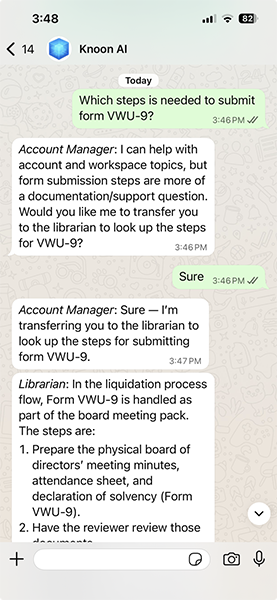
Knoon template for an internal document Q&A chatbot. It creates a chat box and a Q&A agent that answers from uploaded documents or knowledge base content, keeps responses grounded, and says when the source material does not contain enough information. Users can ask questions through WhatsApp, Microsoft Teams, Telegram, Slack, or the Knoon chat box.
Import Instructions
- Open Knoon and go to the workspace where you want the template.
- Install the template.
- Review the imported project, chat box, and Q&A agent.
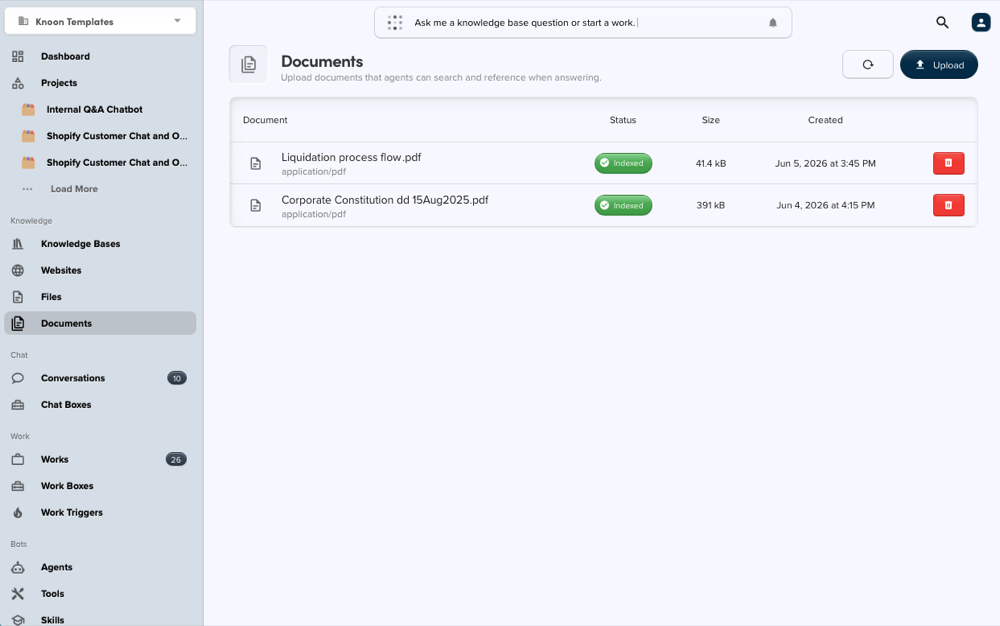
- Upload or attach your own documents/knowledge base content.
- Test the chat box with a few internal questions before publishing or sharing.
Supported Channels
Users can ask questions through WhatsApp, Microsoft Teams, Telegram, Slack, or the Knoon chat box. Here's how you can setup this template on Whatsapp and Microsoft Teams:
Notes
Add your own source documents after importing so the agent can answer from your knowledge.
This template deploys automatically to the cloud. No coding, self-hosted n8n setup, or Make.com flows are required. The workflow runs deterministically, so it stays predictable compared with agent-driven tools like Manus, OpenAI, or Tasklet.