AI QuickBooks Bookkeeping (With VAT/GST) & OneDrive Upload
QuickBooks Bookkeeping + OneDrive Template
⚠️ Please read the taxation instructions before using this template.
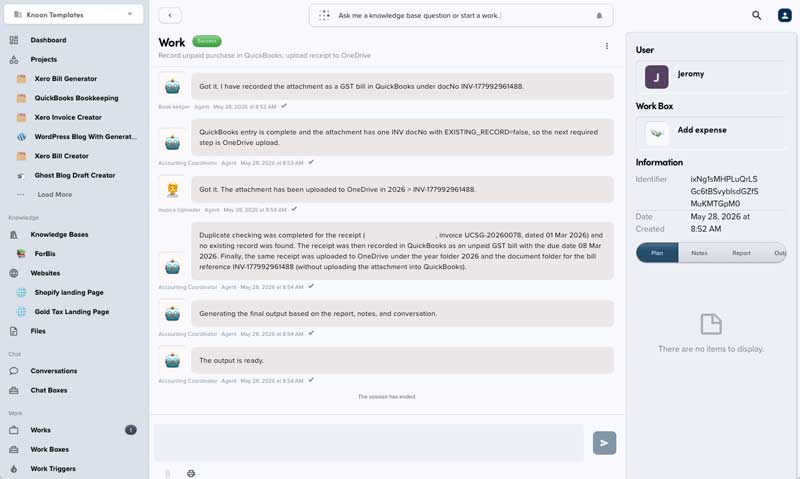
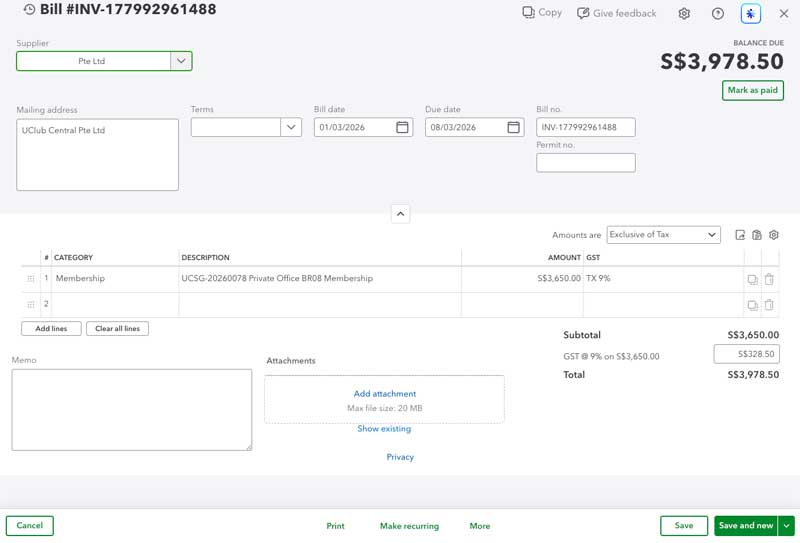
Automatically process supplier bills and purchase receipts into QuickBooks with duplicate detection, GST-aware bookkeeping, unpaid bill tracking, bill payment creation, and organized OneDrive attachment filing. The template supports both unpaid bills and paid expenses while storing receipt and bill files in structured OneDrive folders for audit and retrieval.
What It Includes
Add Bill: records unpaid supplier bills in QuickBooks and files the attachment in OneDrive.Add expense: records paid purchase receipts or expenses in QuickBooks and files the attachment in OneDrive.Check unpaid bills: lists unpaid QuickBooks bills by company, date, and balance.Make payment to unpaid bills: creates QuickBooks bill payments.
Taxation
⚠️ You need to set up the tax names/codes before using the template.
To view tax names in QuickBooks, go to: QuickBooks → All Apps → Tax → Edit Tax → Edit Rates.
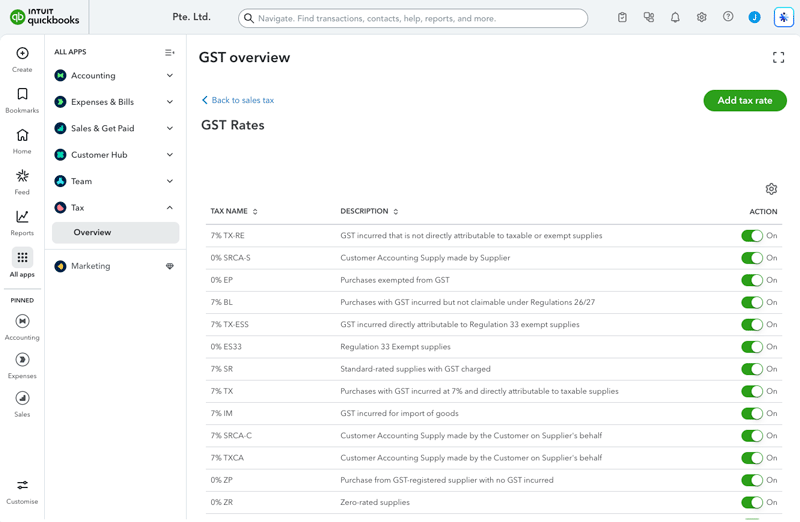
Then go to Knoon → Select the project → Find the Tax code name skill file → Edit the tax names.
Filing Behavior
Attachments are stored in OneDrive, not QuickBooks.
Default folder pattern:
<root folder>/<year>/<docNo>/<uploaded file>
Unreadable or corrupted files should be routed to:
<root folder>/Requires Attention/<original filename>
Usage Notes
- Upload one or more bill or receipt attachments to the relevant workbox.
- Each attachment is processed separately.
- Duplicate checks run before creating QuickBooks records.
- GST and non-GST transactions use separate QuickBooks create tools.
- New vendors or customers can be created when no match exists.
- Review inferred vendors, accounts, projects, tax codes, and duplicate decisions before relying on bulk runs.
This template deploys automatically to the cloud. No coding, self-hosted n8n setup, or Make.com flows are required. The workflow runs deterministically, so it stays predictable compared with agent-driven tools like Manus, OpenAI, or Tasklet.