Szablony
AI Record Receipt to Google Sheets & Save to Google Drive
Logs receipts to Google Sheets, uploads attachments to Google Drive, and organizes files into unique DocNo folders.
Około 5 min konfiguracji
Receipt Tracking to Google Sheets & Save to Google Drive
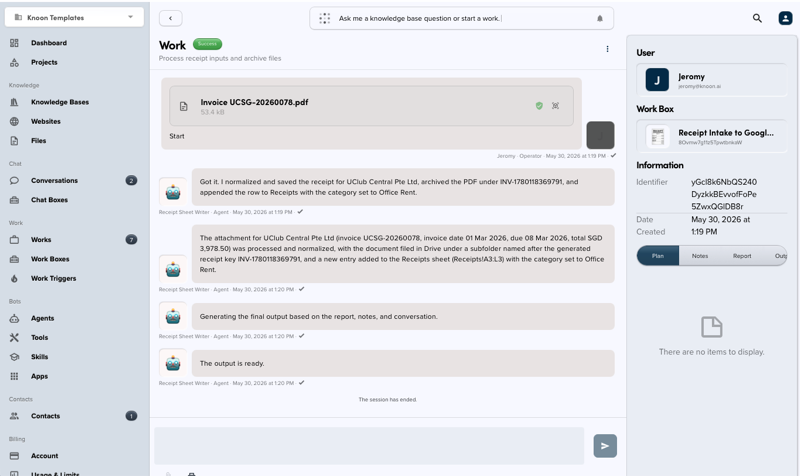
Knoon template for processing receipt images or PDFs, extracting structured receipt data, appending it to Google Sheets, and archiving the original receipt file in Google Drive.
What It Includes
- Receipt intake Work Box
- Receipt extraction and sheet-writing agents
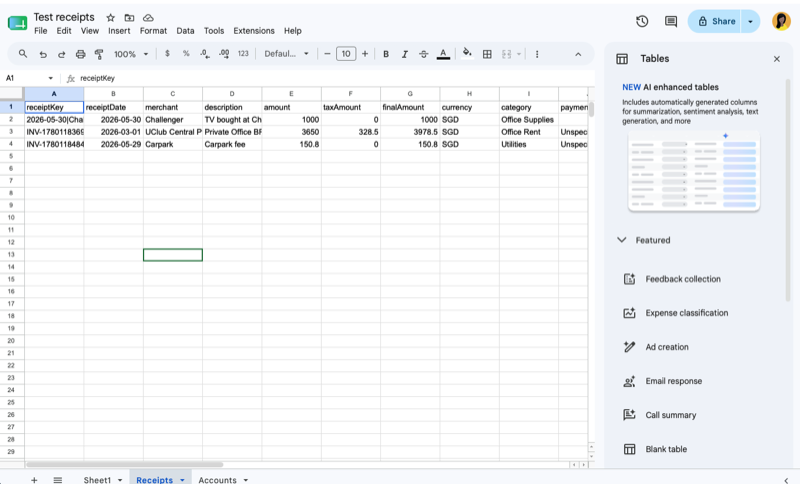
- Google Sheets tools for creating tabs, writing headers, reading reference data, and appending receipt rows
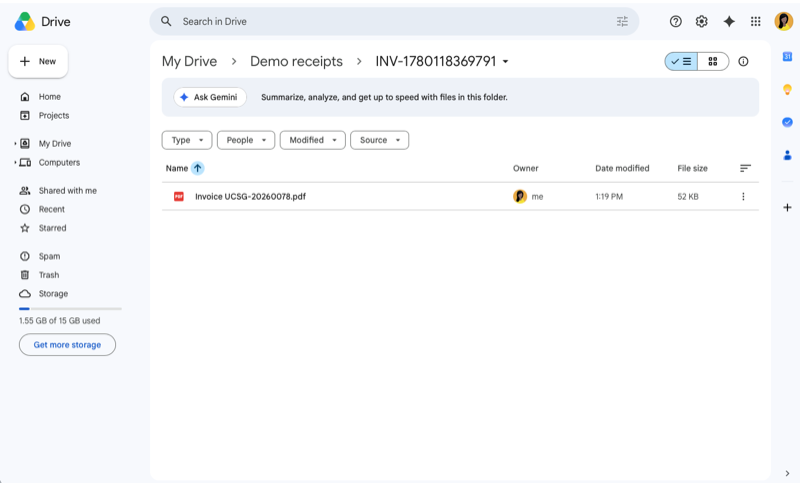
- Google Drive tools for creating receipt folders and uploading attachments
- Starter receipt fields including date, merchant, amount, tax, currency, category, payment method, source file, and notes
Setup Notes
- Each processed receipt gets a generated receipt key/doc number.
- Original receipt attachments are saved into a generated Google Drive subfolder.
This template deploys automatically to the cloud. No coding, self-hosted n8n setup, or Make.com flows are required. The workflow runs deterministically, so it stays predictable compared with agent-driven tools like Manus, OpenAI, or Tasklet.