テンプレート
AI Capture Receipts into Xero
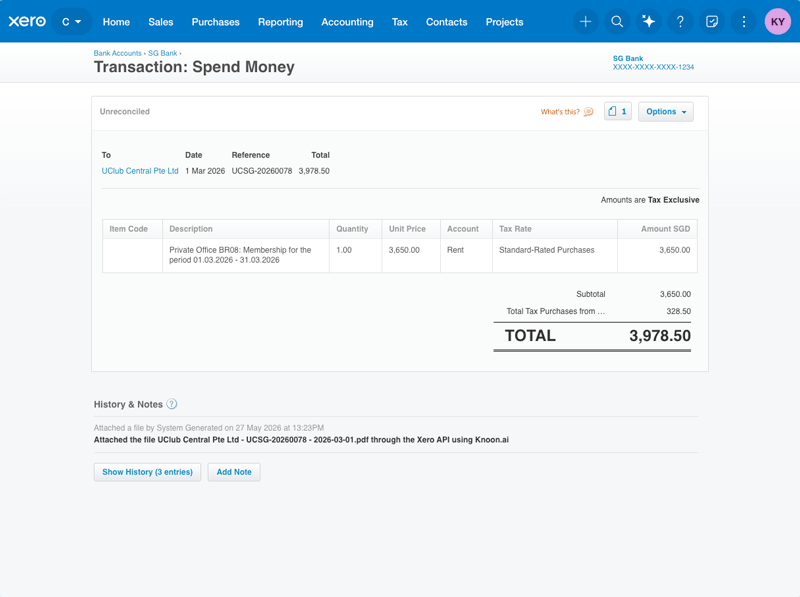
Extract receipt transactions, record them as Xero spend-money bank transactions with correct TaxType handling, and attach receipts to Xero.
約5 minのセットアップ
Receipts to Xero
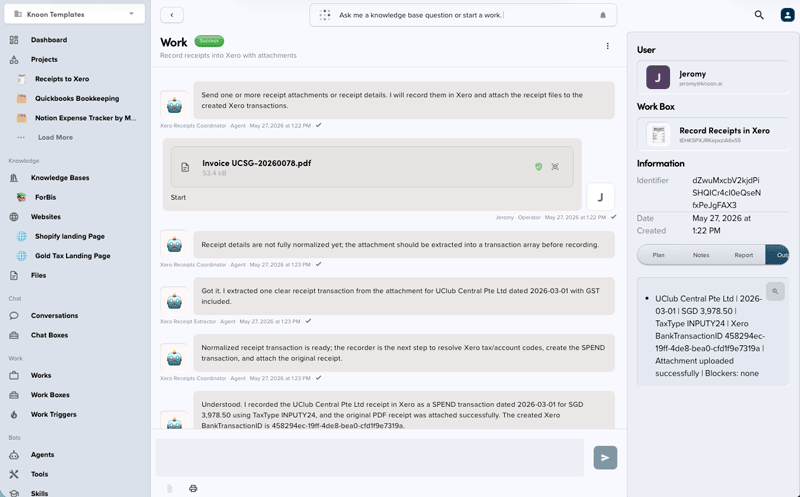
This Knoon export records receipt transactions in Xero and uploads receipt files to the created Xero bank transactions.
What it does:
- Extracts one or more receipt transactions from text or attachments.
- Resolves Xero tax rates before creating line items.
- Creates Xero
SPENDbank transactions. - Attaches the receipt to the created Xero bank transaction when an attachment is available.
- Does not create folders or upload files to external storage apps.
Tax code / TaxType notes:
- Xero uses
TaxTypeon line items. - For GST receipts, choose an active purchase/input GST TaxType from Xero tax rates.
- For non-GST receipts, choose an active no-tax expense TaxType, preferring
NONEwhen available. - If TaxType is ambiguous, the recorder should stop that transaction and report a blocker instead of guessing.
This template deploys automatically to the cloud. No coding, self-hosted n8n setup, or Make.com flows are required. The workflow runs deterministically, so it stays predictable compared with agent-driven tools like Manus, OpenAI, or Tasklet.