Templates
AI Capture Receipts into Xero
Extract receipt transactions, record them as Xero spend-money bank transactions with correct TaxType handling, and attach receipts to Xero.
Approx. 5 min setup
Receipts to Xero
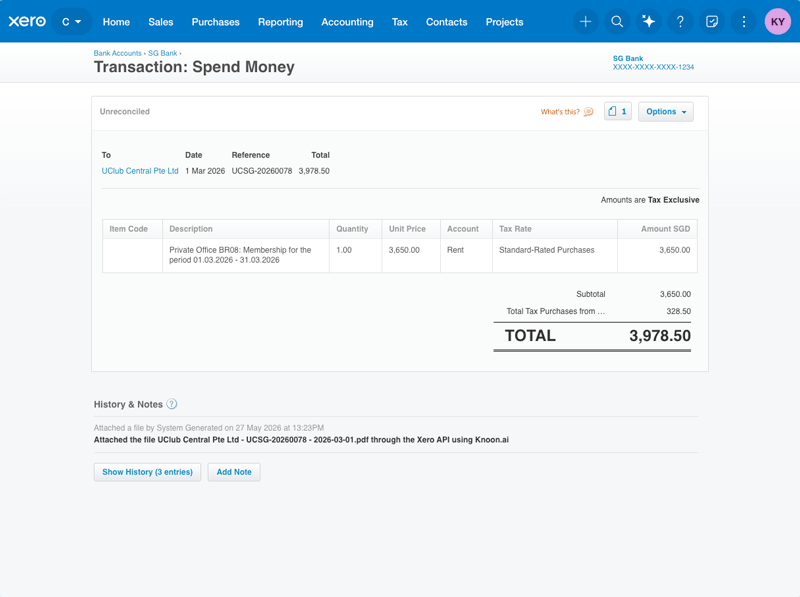
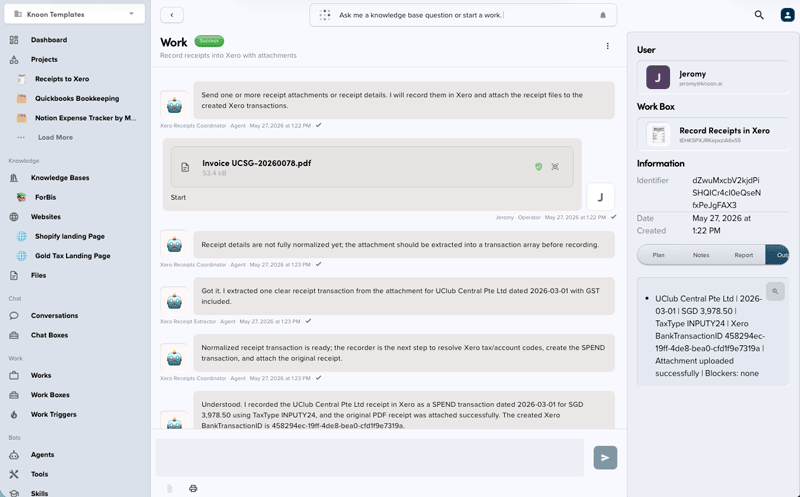
This Knoon export records receipt transactions in Xero and uploads receipt files to the created Xero bank transactions.
What it does:
- Extracts one or more receipt transactions from text or attachments.
- Resolves Xero tax rates before creating line items.
- Creates Xero
SPENDbank transactions. - Attaches the receipt to the created Xero bank transaction when an attachment is available.
- Does not create folders or upload files to external storage apps.
Tax code / TaxType notes:
- Xero uses
TaxTypeon line items. - For GST receipts, choose an active purchase/input GST TaxType from Xero tax rates.
- For non-GST receipts, choose an active no-tax expense TaxType, preferring
NONEwhen available. - If TaxType is ambiguous, the recorder should stop that transaction and report a blocker instead of guessing.
This template deploys automatically to the cloud. No coding, self-hosted n8n setup, or Make.com flows are required. The workflow runs deterministically, so it stays predictable compared with agent-driven tools like Manus, OpenAI, or Tasklet.